← Work

First Message Experience

Click-to-WhatsApp ads open a chat with a business, but about 90% of people left before sending a first message. I redesigned that first message so people get context up front and businesses get more conversations.

  • Product design lead
  • 2 PMs · 4 SWE · 1 DS · 1 CD
  • Nov 2025
  • 4.3× H2 ’25 revenue goal
  • Built a new component

TL;DR

The problem
People tapped an ad with questions, and the chat opened with no room for answers.
The decision
A new automated greeting message puts the ad, greeting and a CTA in the thread.
The impact
+2.8% conversations started and 4.3× the team's H2 '25 revenue goal, built in one month.

Context

Live demo of a Click-to-WhatsApp ad

One tap from an ad to a conversation.

A WhatsApp button on Facebook and Instagram ads opens a chat with the business. The first message is where that relationship starts.

My Role
I led design from discovery to launch with 2 PMs, 4 engineers and a data scientist, through reviews with WhatsApp leadership, Privacy and the design system team.

Where the Journey Breaks

90% of people who tap a Click-to-WhatsApp ad leave before sending a first message.

The steepest drop sits between consideration and inquiry. Website ads lose about 70% after the tap. Messaging ads lose 90%, at the step where intent should be highest.
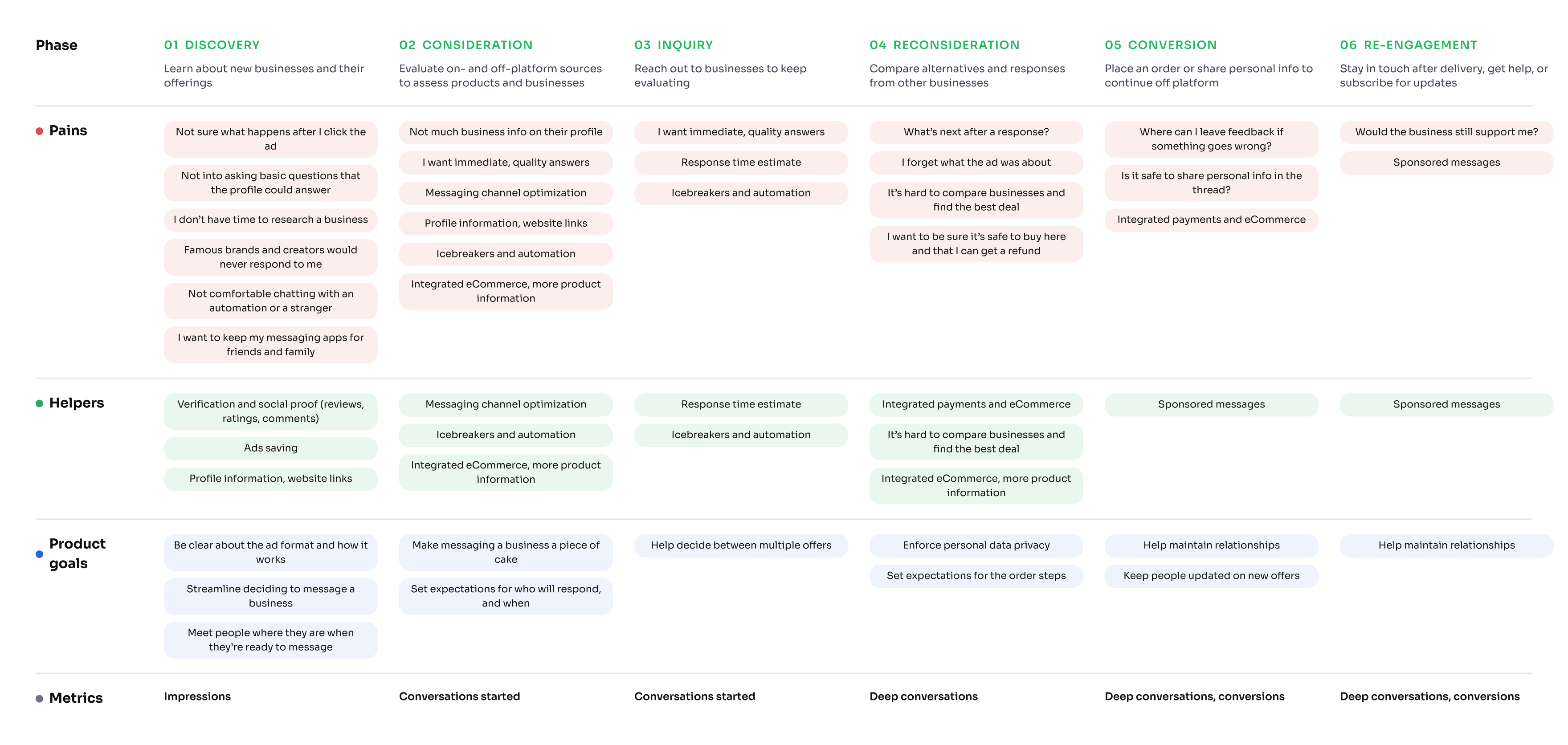
Ad journey map with the first message at inquiry
Consumer messaging journey: first message at inquiry

Why People Leave

People arrived with questions but no context to ask them.

Leadership assumed people were already chatting with businesses. Research and data showed otherwise: businesses were sending an info dump up front to give people more context.

#1
reason to drop off: not enough product information (UXR, ~1,000 people).
32%
send the default pre-filled message because they don't know what to ask.
8%
of ads include an offer, but that context disappeared once the chat opened.
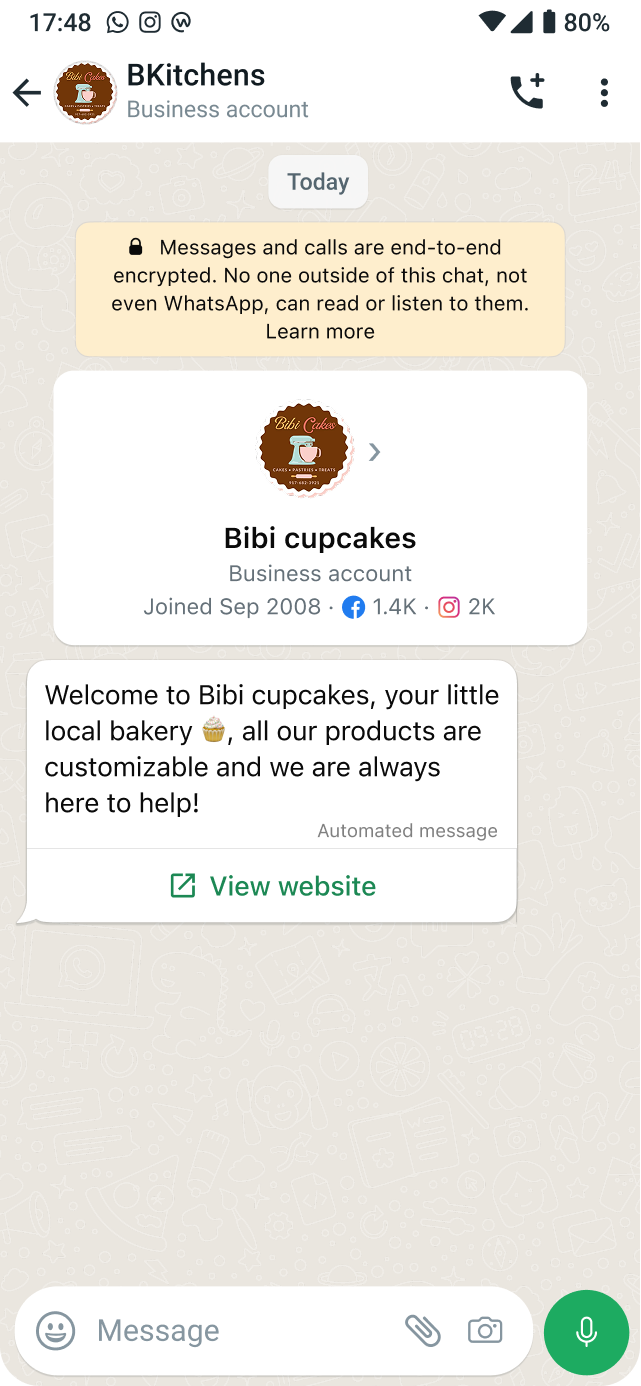
Phone from the India research session showing how a business messaged a customer
I attended a research session in India and watched how businesses talked with potential customers.
Hypothesis
If the chat gave people context up front, the way businesses already did, more people would feel ready to send a first message.

The Problem

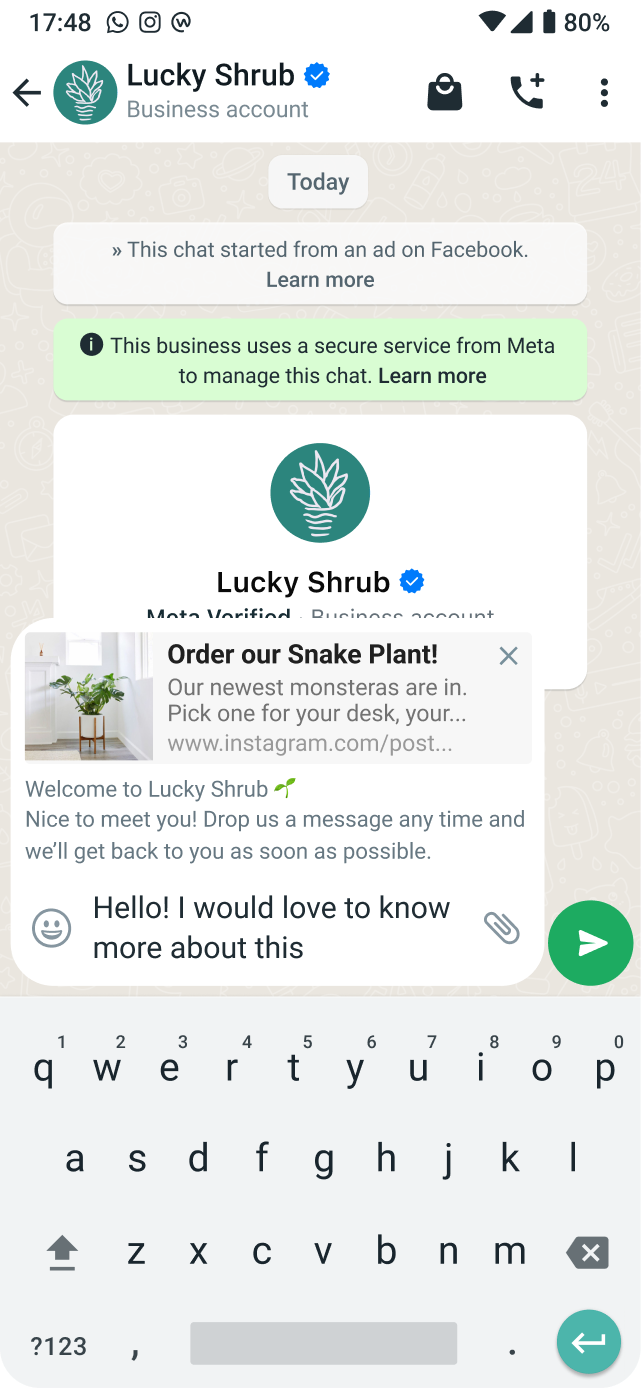
Everything that could help was crammed into the composer.

Ad context, the welcome message, pre-filled text and icebreakers all compete for the same small space above the keyboard. None of them gets the key information across.

The ad people tapped on InstagramClick-to-WhatsApp ad in a feed
Initial Ad
People engage with Click-to-WhatsApp ads from Feed, Stories and Reels.
Simple Ad chat with four overlapping layers
Simple default ad
The open keyboard covers the business context card, and everything else stacks in the composer.
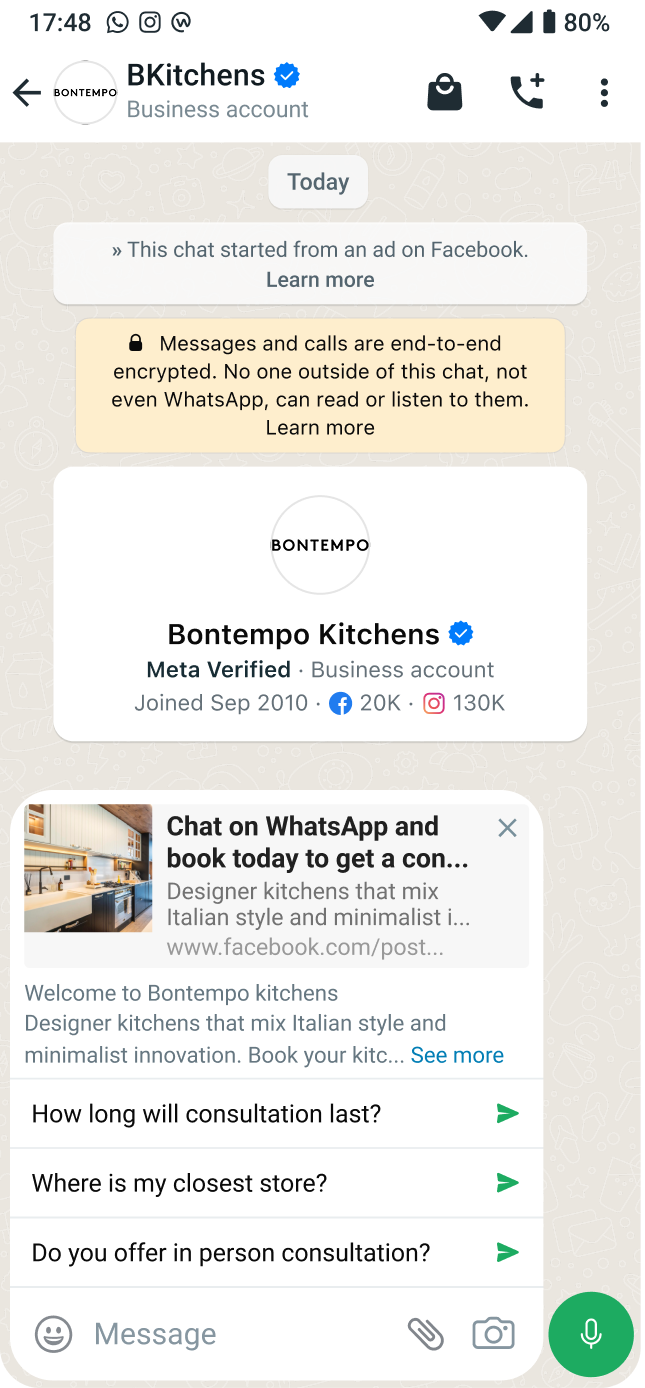
Icebreakers Ad chat crowding the composer
Ad with icebreakers
Advertisers can add up to five icebreakers, and at five they scroll inside the composer.
The greeting hides behind a “See more” tap people don't expect.

The Design

Ad context belongs inside the conversation.

I explored three ways to bring the ad into the chat, then narrowed down through reviews with Privacy, design and engineering.
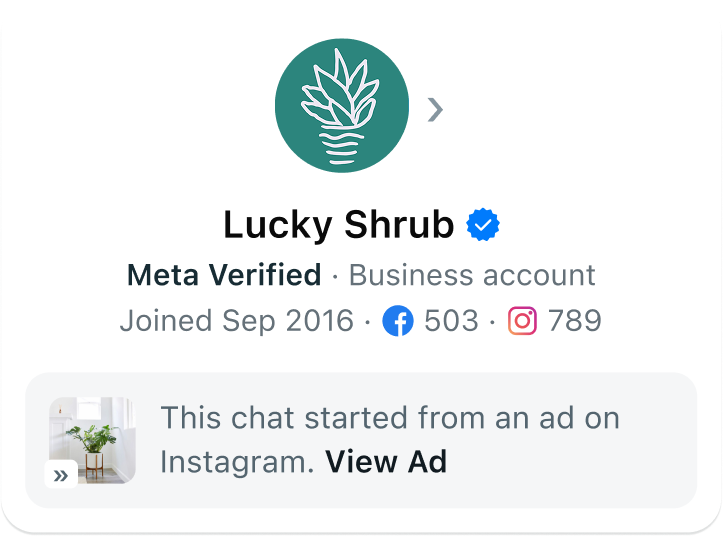
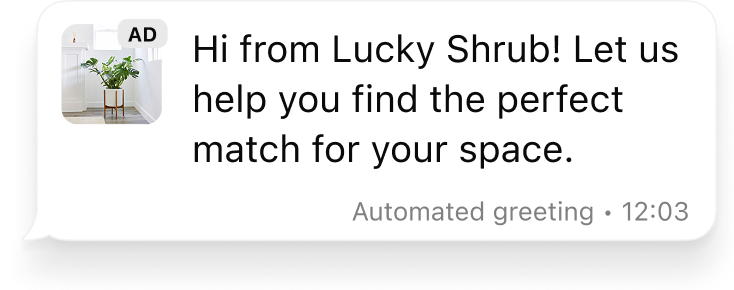
Exploration: ad context as a card in the chatExploration: ad context in a message bubbleExploration: ad context as an attachment
Exploration
  • I tested an automated greeting message with the ad as a footer.
  • Minimal ad context risked people missing it was an ad.
  • Maximal context gave low-quality creative too much weight in the chat.

Original business context cardFeedback from Privacy, design review and the design system team
Feedback
  • Privacy wouldn’t approve merging the business context card with the ad.
  • Design review said the footer felt like a custom system message.
  • The design system team pushed to move the ad into the message, aligning with business AI chats to create a new system.
  • Engineering pushed back on the cost of a new component.
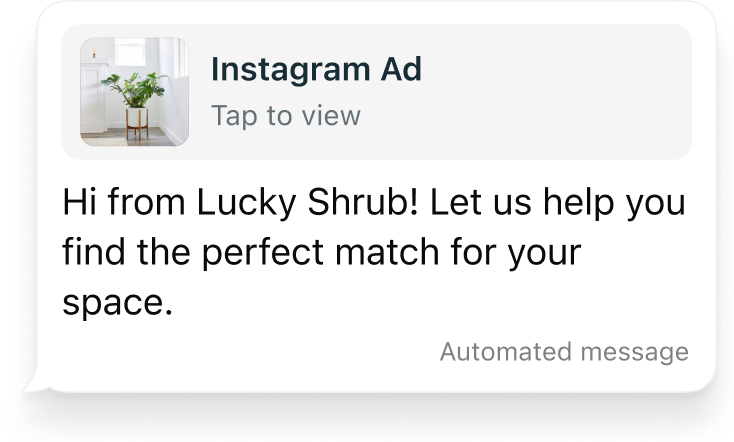
Where I landed: ad context inside the welcome messageWhere I landed: ad context inside the welcome messageAutomated greeting message in an organic chat
Where I landed
  • The ad context now lives inside the welcome message.
  • I cut the headline, description, URL and timestamp from the old link-style card.
  • The same component works for organic chats.

The New Component

One message carries the ad, the greeting and a CTA.

Built with the WhatsApp design system, it moves the ad out of the composer and into the thread. The chat opens with the keyboard down.
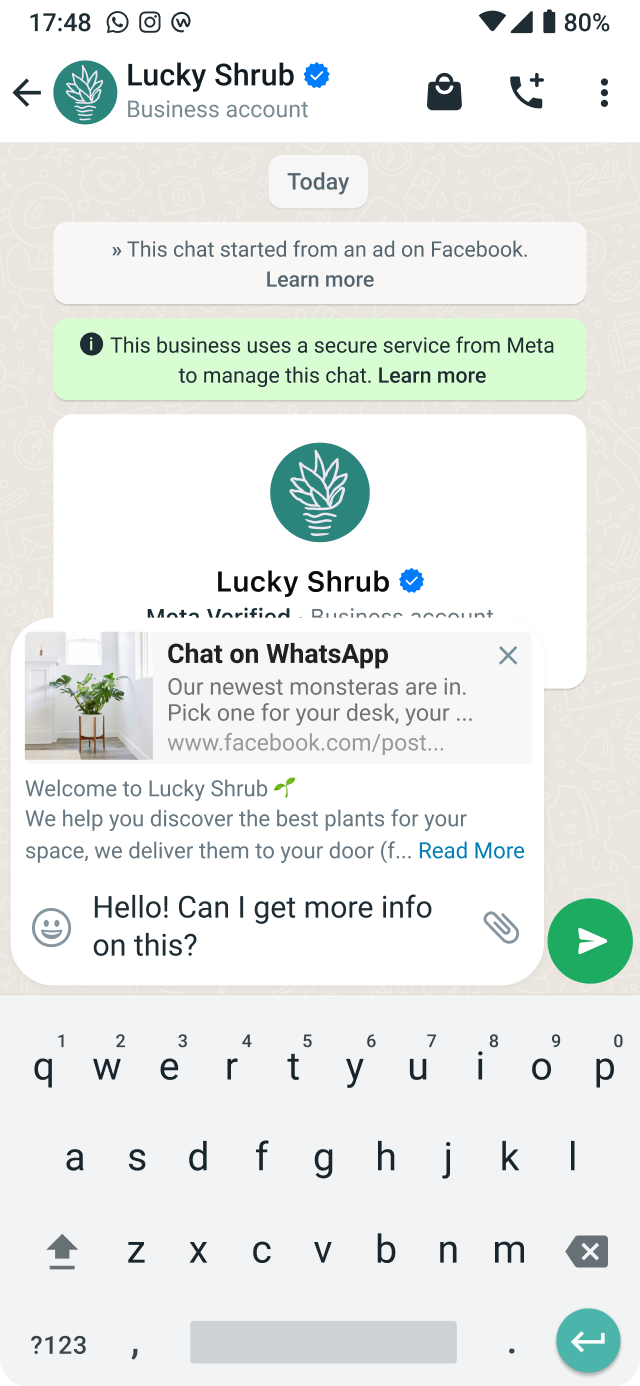
Before: ad, greeting and icebreakers stacked in the composer
Before
Everything stacked in the composer.
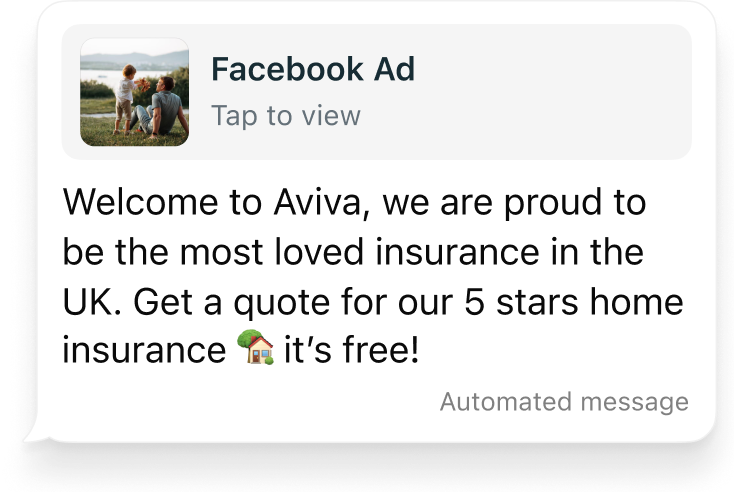
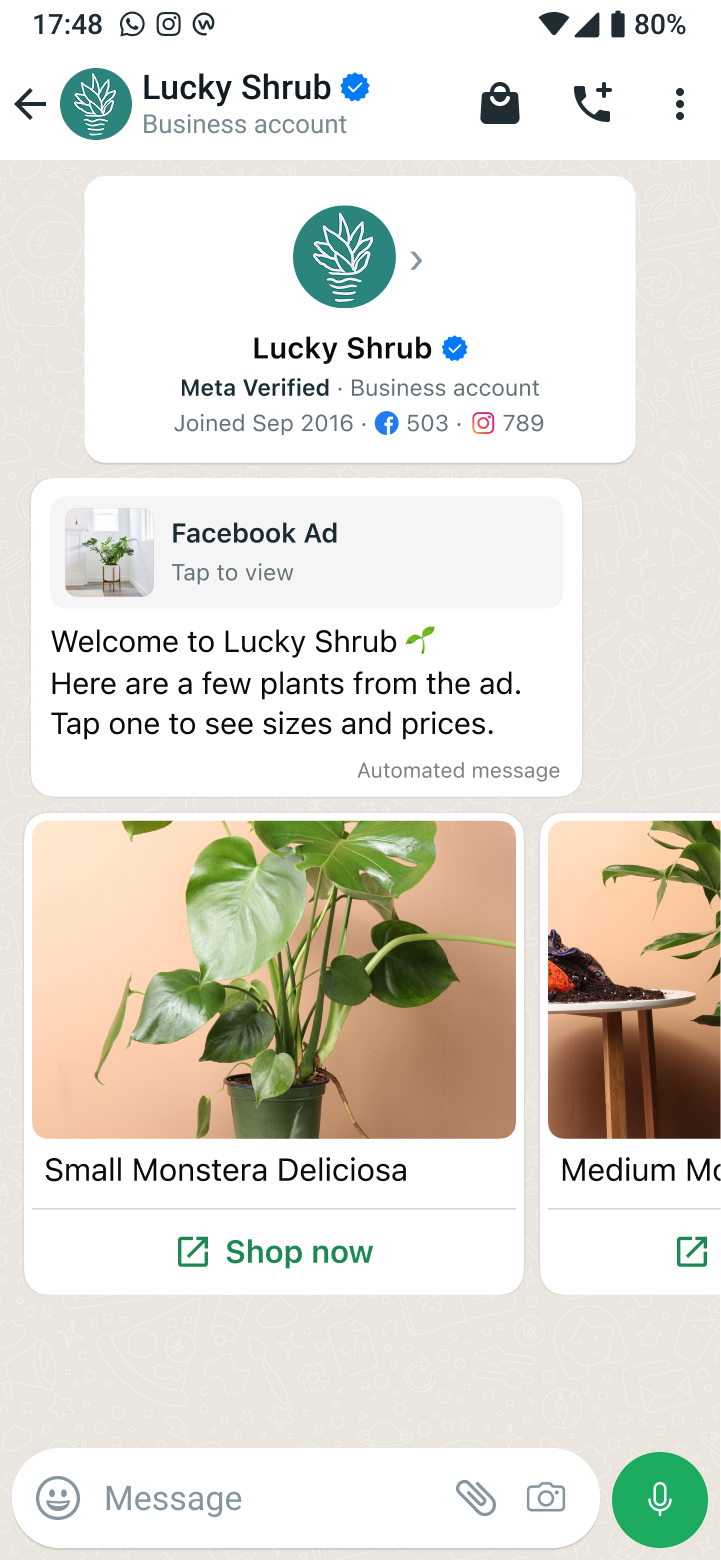
Automated greeting message with the ad label, greeting and a CTA
Automated greeting message
A “Facebook Ad” or “Instagram Ad” label opens the full ad. The greeting and a CTA (call, catalog, forms or website) share one message.
Automated greeting message in an organic chat without an ad
Organic behavior
About 80% of people reach businesses through non-ad channels, and the same component works there too.

For Businesses

A two-sided marketplace: businesses needed a way to add a CTA.

Ads Manager had no place to add a CTA to the welcome message, so I redesigned the setup flow and cleaned it up while I was in it. Existing ads kept their default welcome message, so they worked unchanged.

Ads Manager welcome message setup before the redesign
Before · Original welcome message setup
Redesigned Ads Manager setup with a new CTA option
After · Cleaner setup with a new CTA option
Test the defaults
Every ad already had a welcome message, so we could test moving it into the chat with no advertiser changes.
Upsell CTA
A CTA needed advertisers to opt in, so we added an upsell for test cohorts.
Adoption
About 21% of advertisers in the test added a CTA, driving the lift in calls, catalog visits and website visits.

Tradeoffs

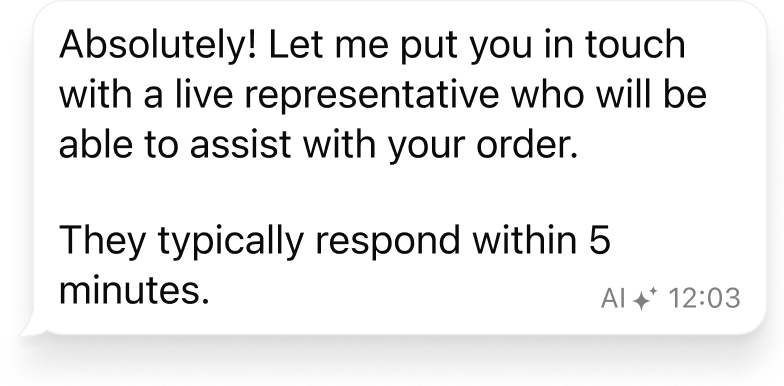
Loading state: spinner over typing indicator

A typing indicator implies someone is typing. I chose a spinner for the 1–2 second load, accepting that it says less.

Initial proposed loading state
  • The usual chat pattern, but Privacy flagged that it implies the business is typing.
Glimmer
  • Clearly connected to the UI.
  • Better sense of privacy.
  • More cognitive load, since the message can be short or long.
Where I landed
  • The spinner signals loading without implying anyone is typing.
  • Less cognitive load.

How I Shipped It

From discovery to launch in one month.

We built on the existing message system and brought every review in early instead of at the end.

Oct '25 · Discovery and design
Found the drop-off and pitched ad context up front. When leadership pushed back, I used UXR and funnel data to prove the gap, then built the component with the design system.
Oct '25 · Every review, in one week
Design and business reviews. Leadership approved with a privacy caveat, and Privacy and the design system signed off.
Oct '25 · Build review
Final design reviewed with engineering and leadership.
Nov '25 · Shipped
Launched to Brazil, India and other key markets.

Impact

Post experiment results (28d)
  1. 4.3× the team's H2 '25 revenue goal
  2. Meaningful incremental revenue, measured in a 28-day experiment
  3. +2.8% conversations started
  4. +26% catalog volume
  5. +34% calls
  6. +86% website visits
Learnings
Pushing for a new component was harder than tweaking the old one, and it paid off.
One component now serves businesses, people and organic chats.

Reflection

What worked

Research and data changed the conversation.
The research answered both pushbacks: leadership's assumption that people were already chatting, and engineering's concern about building a new component.
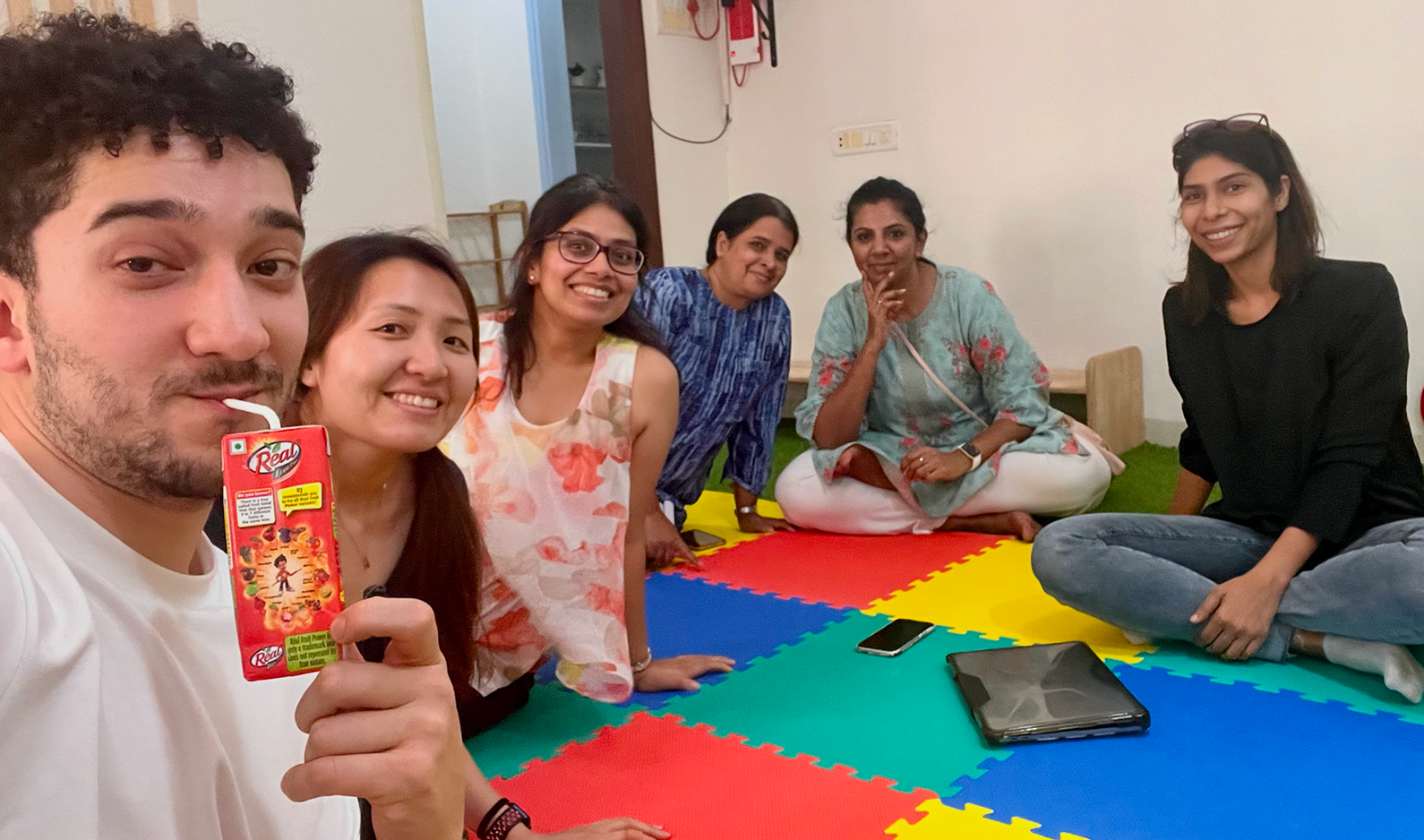
Research session in India

What I'd do differently

Think cross-surface earlier.
Bring Instagram and Messenger into the discussions sooner.
Give the business card another cycle.
The chevron validated engagement quickly, but the card needed another design round.

What's next

Concept: catalog in chat under the welcome message
More actions
Add richer business actions, like PDFs, promo codes and catalogs, directly in chat.
Concept: icebreakers in chat under the welcome message
Icebreakers into the chat
Show them under the welcome message, so they feel tied to the ad.